

If you need to change your access number and use a Macintosh with a MacOS version number below 8.0:
|
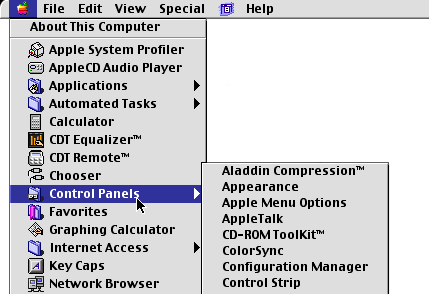
1. Click the Apple Menu. |
|
|
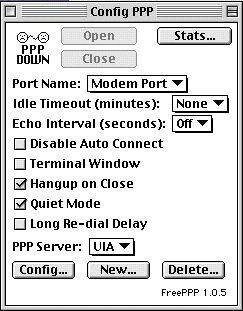
2. Select 'Control Panels'. 3. Select 'ConfigPPP'. |
|
|
4. Click 'Config'. |
|
|
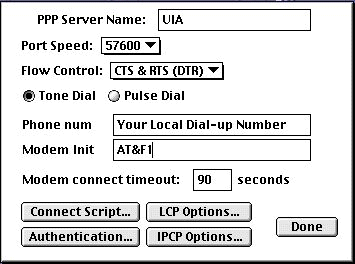
5. Type in your local dial-up number in the 'Phone num' Field . 6. Click 'Authentication'. 7. Type in your Username and password in lower-case letters. 8. Click 'Ok'. 9. Click 'Done' |