

If you need to change your access number and use a Macintosh with a MacOS version number 8.0 or above, here's how to do it:
|
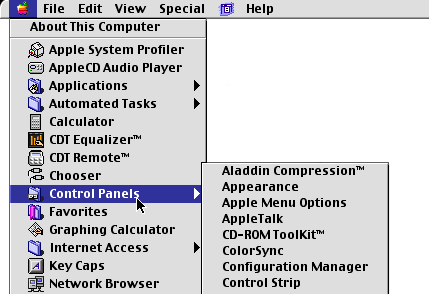
1. Click open the Apple Menu. |
|
|
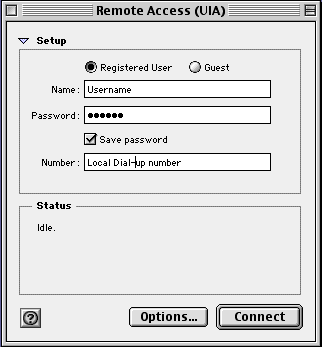
2. Select "Control Panels". 3. Select "PPP" or "Remote Access". |
|
|
4. Type your Username in lower case letters in the "Name" field. 5. Type your password in lower case letters in the "Password" field (You will see a series of dots). 6. Type in your local phone number in the "Number" field. 7. Click the close box in the upper left-hand corner. 8. Select 'Save' when the dialog box appears. |